
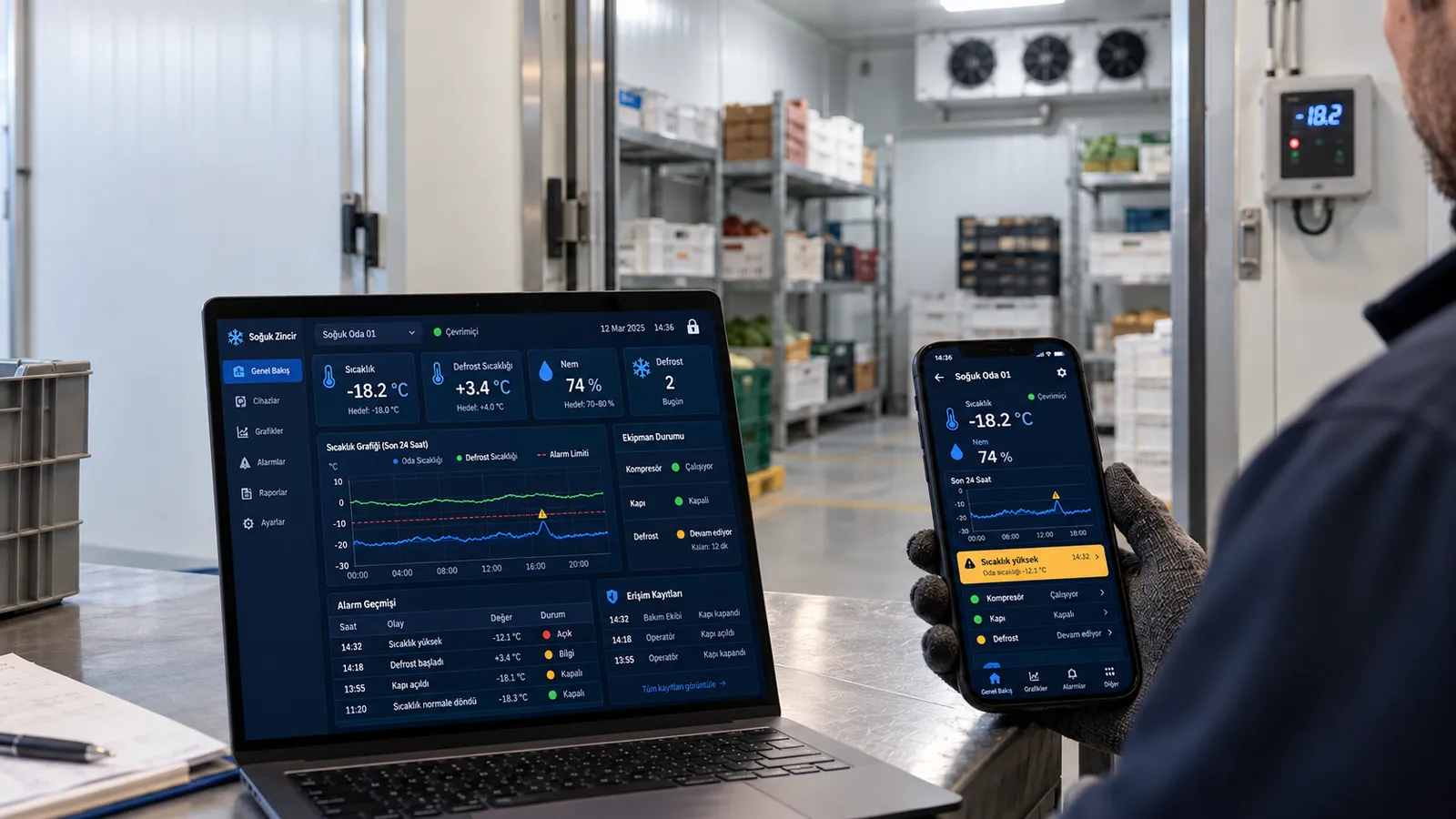
Today even a mid-sized cold store manages temperature, defrost and alarms through an internet-connected controller. The service company intervenes remotely, the owner checks the temperature on a phone, the night alarm arrives as a message. This convenience has raised the quality of the cold chain; but the same connection, when set up wrongly, becomes the weakest point of the facility.
Why has remote monitoring become indispensable?
In the cold chain, loss is measured in hours, not minutes. If a freezer stops at midnight and nobody notices until morning, the product is gone. Remote monitoring reduces this risk in three ways: a temperature deviation is reported immediately, the service technician can correct a setting without driving to the store, and records are kept automatically for food safety audits. Energy tracking, remote adjustment of defrost schedules and managing several sites from one screen come on top.
The problem is not remote monitoring itself; it is leaving the device as it was installed for years with the attitude "it works, don't touch it".
What is a cold room remote monitoring system and how does it work?
A cold room remote monitoring system takes the data from temperature and humidity sensors in the room, carries it to the internet through a controller, and gives the operator live monitoring and alarms on a phone or computer. It works the same way in every facility, whether a cold store, a supermarket refrigeration pack, a blast freezer or a pharmaceutical warehouse: the sensor measures, the controller records, a cloud or server transmits, the user sees.
A cold room temperature tracking system does two things. First, recording: temperature values are stored at fixed intervals and used in food safety audits and cold chain documentation. Second, alarms: when the temperature crosses a set threshold, a door is left open or the compressor stops, it sends an SMS, a call or an app notification. The most important rule when setting up a cold room alarm system is that the alarm must also travel by a path independent of the controller; if the controller fails, the alarm must not fall silent with it.
Remote monitoring of a cold store is not only for large facilities. Even in a single-room butcher's cold room, an independent temperature data logger and a simple GSM alarm module are enough to prevent one night's loss of product. Multi-site businesses prefer central systems where all rooms are watched on one screen, energy consumption is reported and the service company intervenes through authorised access.
Where exactly is the risk?
When an office computer is compromised, data is lost. When a refrigeration controller is compromised, the physical world is interfered with: the temperature setpoint is changed, a defrost is started, the compressor is stopped, the alarm is silenced. The result is product spoiling within a few hours, temperature records that are no longer valid, and a food safety problem.
The weaknesses most often seen in the field:
- An interface open directly to the internet. A port forward on the modem makes the device's web screen reachable from a public address. These devices are found by search engines within minutes.
- Factory passwords. User name "admin", password empty or "1234". Never changed at installation, the same for years.
- Software never updated. The manufacturer publishes a security patch, the device stays on the version it was installed with. The patch is postponed for fear that it "breaks a working system".
- Devices out of support. A controller that no longer receives updates from its manufacturer is still connected to the internet; even a known hole cannot be closed.
- Shared service accounts. The service company uses the same user name and password at dozens of customers; a technician who leaves keeps access.
- No network separation. The refrigeration controller, the till system and the office computers sit on the same network; whoever gets into one reaches the others.
None of these requires an advanced attack technique. In most incidents the attacker opens a browser, finds the address and logs in with the default password.
A ten-point checklist
- Do not open the controller directly to the internet. Close any port forwarding. Remote access must go through a VPN or a secure remote access gateway; the device must not be visible from outside.
- Change the factory passwords. A long, device-specific password on every unit. Delete or disable default accounts.
- Keep the software up to date. Subscribe to the manufacturer's security bulletins; apply patches during planned maintenance, with a backup.
- Take unsupported devices off the network. A controller that gets no updates should stay on the local network only, or be replaced.
- A separate account for every person. Everyone, service technicians included, logs in under their own name; a leaver's account is closed the same day. Two-factor authentication where possible.
- Limit permissions. Someone who only needs to watch should not be able to change settings. The number of accounts that can change temperature, defrost and alarm settings should not exceed a few people.
- Keep the alarm independent. The controller's own alarm can be silenced. In critical rooms, have a temperature logger and a separate SMS/phone alarm independent of the control system.
- Log changes. Setpoint, defrost schedule and user actions are recorded with date and user; a change made at night is visible in the morning.
- Segment the network. Refrigeration devices sit in a network segment separate from the office network, the tills and the cameras.
- Write an emergency plan. When the system goes down, who is called, where is the product moved, how is the controller taken over manually on site? Keep the plan on paper, next to the panel.
What to look for when choosing a cold room control panel?
When choosing a control and monitoring system, look for these before price and screenshots: user-based permissions, a change log, security updates from the manufacturer and for how many years, remote access through a VPN or a secure cloud gateway, and the ability to limit and revoke the service company's access. And full compatibility with the room's evaporator, condensing unit and defrost system: if the controller does not know the equipment, alarm thresholds and the defrost schedule will not work correctly.
In its cold room projects Sonkar evaluates the evaporator and condensing unit selection together with the control and monitoring system; the temperature target, defrost type and alarm thresholds are set according to the equipment. When equipment and control system are chosen independently of each other, the most common problem is an alarm that stays silent in a real failure, or one that rings needlessly every night.